Getting your lessons ready
Level 7 · Beyond Typing
Save the picture and its helper note
Keep the actual file plus a reusable request and a clear return path.
~10 min Skill: Making Pictures Lesson 7 of 8
Your voice and camera can do so much!

Step 1 of 6: Get set
Step 1 of 6
Opening your saved place…
Begin
Keep both the file and the useful words
The image file lets you reuse that exact picture. A text note keeps the brief, edit request and check that went with it.
The same prompt may make a different picture next time. It does not store the original pixels.
Learn it
Use the save controls that are there
In ChatGPT, open the image and use Save to download it. Your generated pictures also appear in Images. Closing a tab alone does not mean the image is gone. Find and reopen the file to confirm your download.
For this lesson, use Save practice image below the result. Save the text helper in the practice box. Looking at an example does not save it to your draft.
Read the save status. With no account, writing stays in this browser; with an account, it saves there. Return through My learning, then Saved work, and open this lesson. Keep your own copy if saving is unavailable. The practice box saves text, not image files.
Keep seven fields: Name, Request, File, Check, Repair, Stage and Save. For later use, replace both slots in the reusable request. If this lesson changes, copy any recovered writing, choose Start the updated lesson, and review it before saving it again.
See it
Keep a file and a clear record
Made-up saved-helper plan: this uses Mayfield’s edited room. No download or account save is performed by this example.
Example message
Write a helper with Name, Request, File, Check, Repair, Stage and Save. Include the full room brief and an honest pending-save stage.
An example AI reply
Name: My picture card Request: Make a warm, made-up reading corner. Use a wide 3:2 shape. On one round wooden table, place one closed red book in the centre, one yellow lamp on the left, and one green plant in a blue pot on the right. Put an arched window with green hills behind them. Keep all three table objects in view. No other books or potted plants. No words or people. File: reading-corner-after-b04abdc29a1d.webp; use Save practice image under the shown result. Check: wide 3:2 shape; one round wooden table; one closed red book in the centre; one yellow lamp on the left; one green plant in a blue pot on the right; arched window and green hills; all three table objects in view; no extra books or potted plants; no words or people. Repair: No listed mismatch remains in this sample. Recheck the full brief after any new edit. Stage: Prepared file and helper plan; device save and final placement still need proof. Save: Download and reopen the image. Put this text card in the practice box, read the save status and return through My learning to this lesson in Saved work.
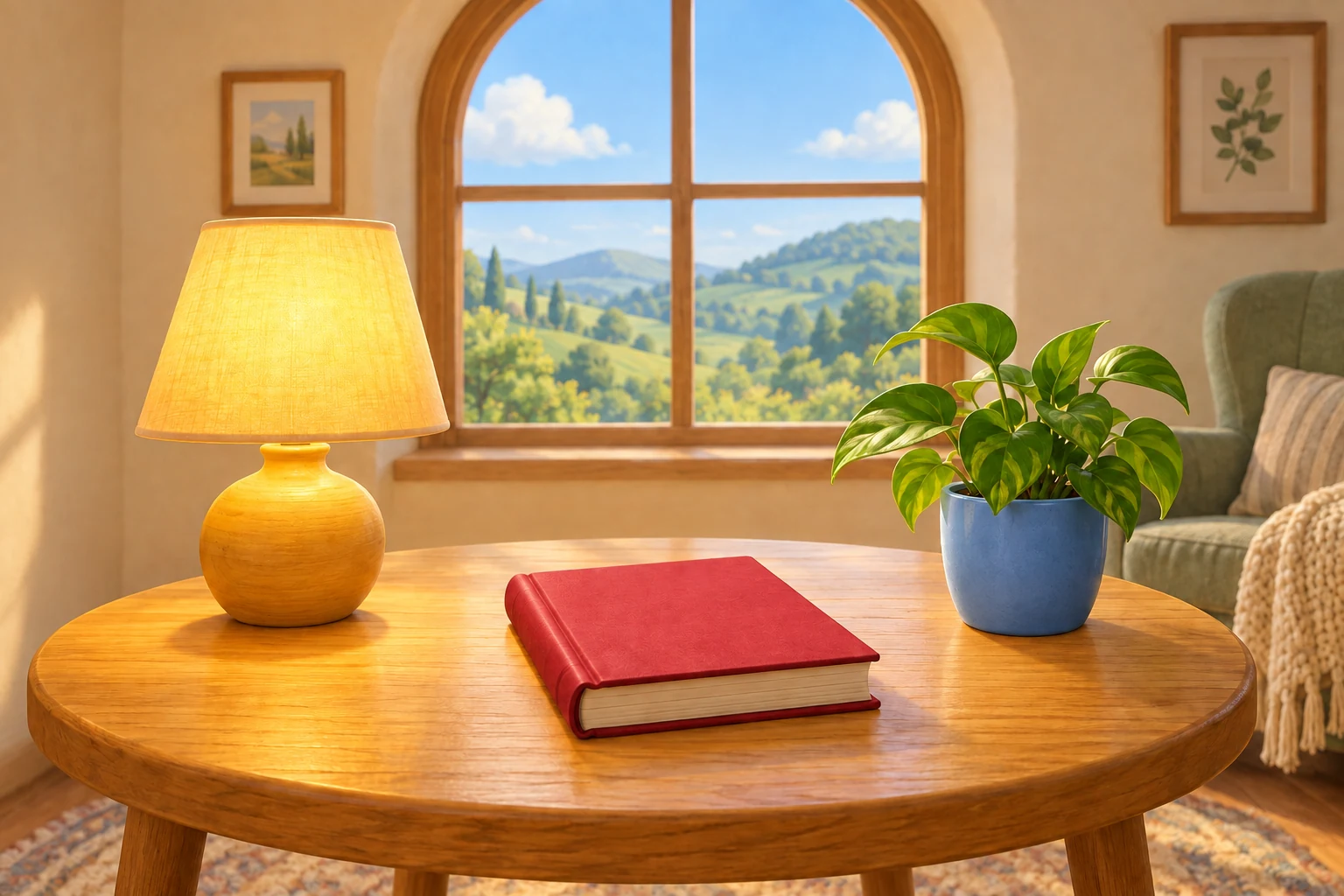
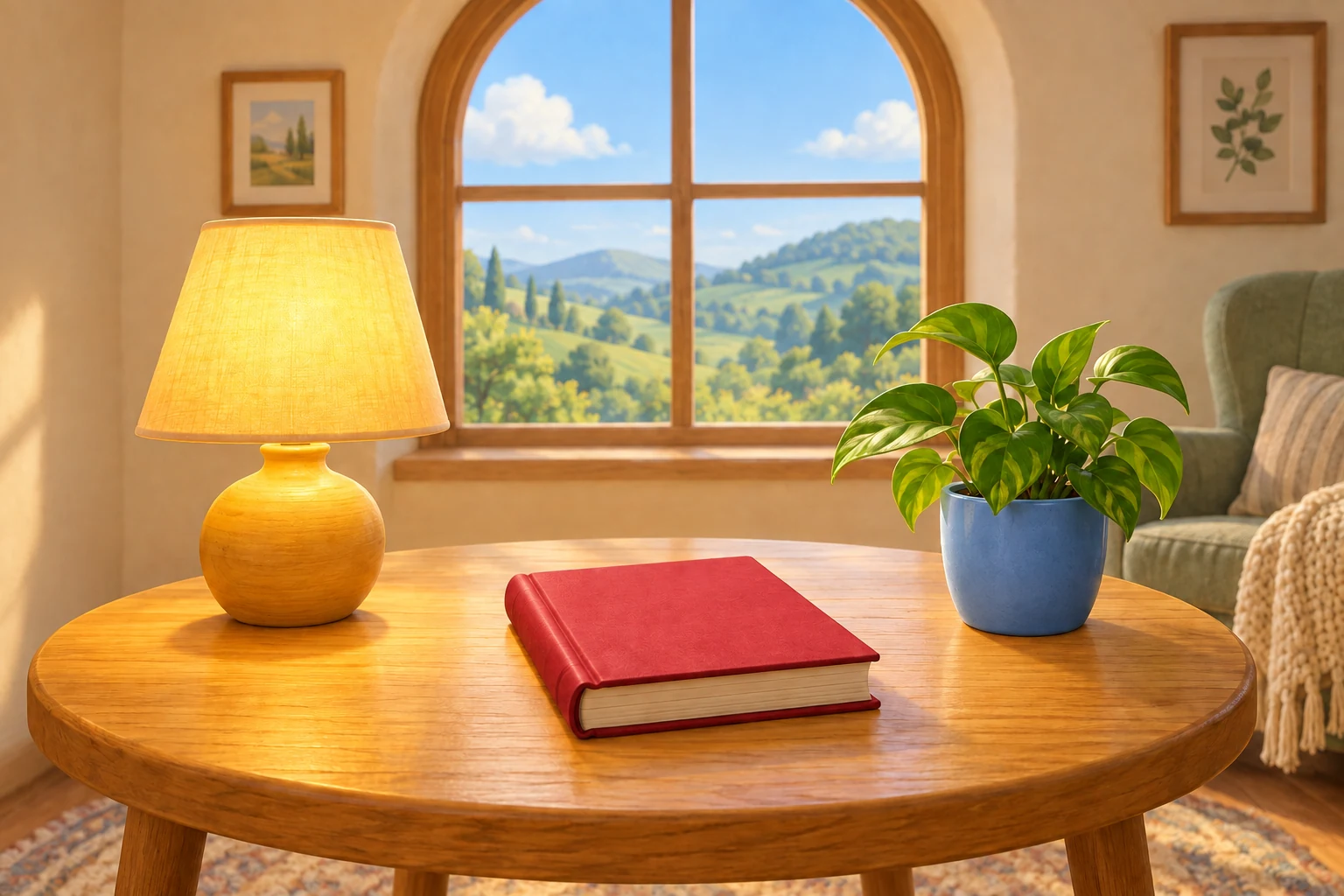
The picture download and text save are separate. Neither is done just by reading this helper. Sharing is a later choice.
Quick check
What keeps this exact picture for reuse?
Choose the better answer. Choose an answer to see why, then continue. This is practice, not a grade.
Try it
Try a small step
Write a seven-field helper. Keep a reusable request with slots for the use and full brief, plus this worked example. Record the real file and save stage. If you save anything now, check the status and reopen it.
Your practice box, just for you. Your draft saves in this browser. This box is not AI. Leave private details out.
Fill both slots before reuse. A helper note does not create an image or store its file.
Start with a few words, or look at the example first.
Keep it
Your next small step
- Keep the actual image file for exact reuse.
- The text note needs a full request, checks, real stage and return path.
- Confirm each save. A completed note is not proof of a downloaded image.